
People have wanted one thing from the Starlink Mini since the day it shipped: cut every cord. The built-in WiFi router already did away with the separate router box. The last cable holding the Mini hostage was power — the leash back to a wall outlet.
That leash is finally gone. A firmware update Starlink pushed in late January 2026 trimmed the Mini's idle power draw by roughly a quarter, dropping real-world steady-state use into the high-teens of watts for a clear-sky connection. Translation: a modern battery now carries the dish through a full day — and often well past it — without you babysitting the charge level. Pair that battery with the integrated router and you've got the thing nobody could build cleanly a year ago: a genuinely wireless setup. Dish, battery, sky. No outlet, no Ethernet run, no router on a shelf.

So before you go cable-free, here are the seven mistakes that wreck a Mini connection — ranked roughly by how often they bite people. Each one comes with the fix.
Ravion® · Built only for Starlink Mini
Run your Mini up to 9 hours, no outlet.
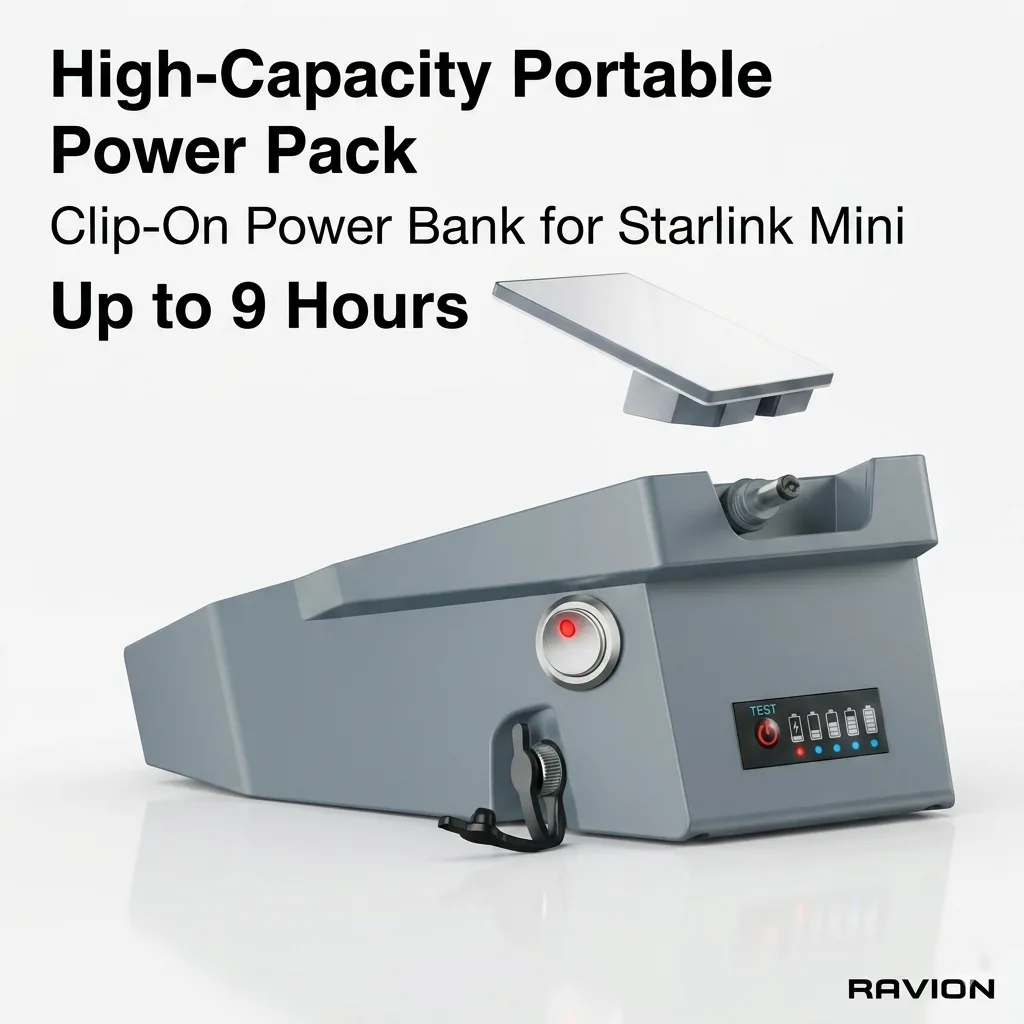
Ravion® Battery
158Wh · up to 9 h runtime · IP65 · 2.6 lbs · Under FAA 160Wh limit
$328 Shop now →
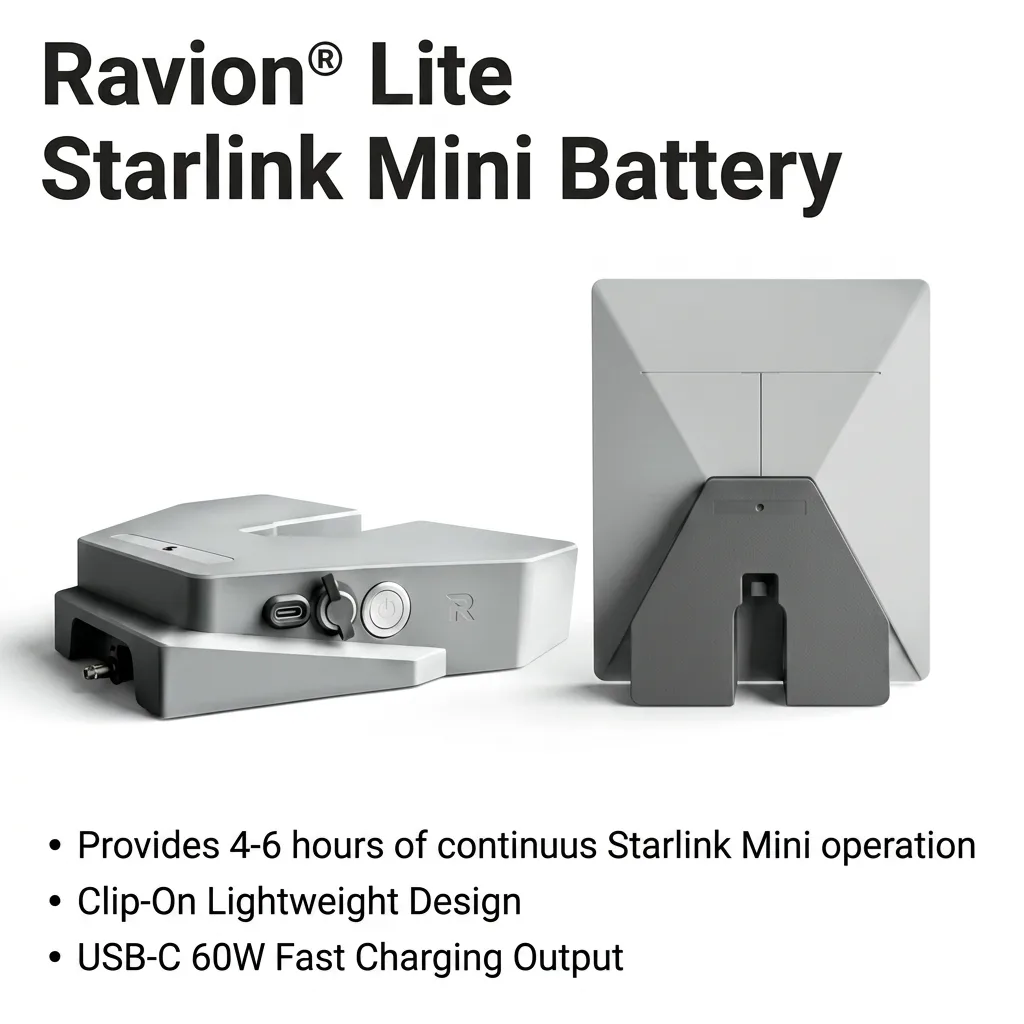
Ravion® Battery Lite
99Wh · up to 6 h runtime · 1.9 lbs · USB-C 60W out
$189 Shop now →
Free U.S. shipping · 30-day returns · 12-month warranty · Ships from California in 1 business day · See all power kits
Parking it under sky it can't actually see
This is the number-one killer, and it's sneaky because the obstruction often isn't directly overhead. The Mini talks to low-orbit satellites that race across the sky, so a branch, eave, or rooftop near the horizon can chop the connection every couple of minutes even when the patch straight up looks perfectly clear. Trees are the worst offender — and they get worse in spring when leaves fill back in.
A rhythmic drop every 90 seconds to two minutes is the classic fingerprint of an obstruction the dish keeps re-hitting on the same satellite pass. It feels like an outage. It's really a tree.
Trying to run it from indoors, behind glass
It's tempting. The Mini is small and the cable-free dream makes you want to set it on a windowsill and forget it. But the dish needs a real, open line to the sky, and a pane of glass — especially the low-E coated kind in modern windows — scatters the signal badly. A roof, a wall overhang, or a deep porch ceiling does the same thing.
People do this and then blame the hardware when speeds crater and the connection won't hold a video call.
Setting it on the ground
The kickstand makes ground-level setup feel finished, but low is the enemy twice over. Down low, every fence, bush, and parked vehicle eats into the horizon the dish needs. And down low, the WiFi has to punch through all of that to reach you.
Reviewers running the Mini in the field have found that lifting it just a few feet off the ground can roughly triple the usable WiFi range — turning a 50-foot bubble into something closer to 150 feet — while clearing the low obstructions at the same time. Height is the cheapest performance upgrade there is.
Starving it for power (the dropout that looks like a signal problem)
This is the one almost nobody connects to their "bad signal," and it's the whole reason a wireless setup can go sideways. The Mini accepts 12–48V DC, but 12V sits right at the bottom of that range. When the dish boots and grabs its first satellites, it briefly pulls a surge up toward 60 watts — about 5 amps at 12V. If your power can't hold steady through that surge, the input voltage sags below roughly 11V and the dish reboots.
So it boots, surges, sags, reboots, and tries again. You see a connection that "keeps cutting out." It's not the satellites. It's a brown-out at the dish — caused by a thin or too-long cable, a tired battery, or running everything through an AC inverter that throws away 15–20% of your power as heat before it ever reaches the Mini.
A mount that sways in the wind
Because the Mini tracks fast-moving satellites, it needs to stay pointed. A pole that flexes, a tripod with a loose leg, or a kickstand on a wobbly camp table lets the dish drift a few degrees in a gust — and a few degrees is enough to break the lock and force a re-acquisition. On a breezy day this turns into a maddening cycle of "connected, dropped, connected."
A rock-solid mount can cut weather-related drops dramatically. A bouncy one manufactures its own outage.
A cable that's loose, kinked, or fraying
A connector that's seated but not fully clicked, a sharp bend behind the kickstand, a length of cord that got pinched in a door or chewed by something curious overnight — any of these can mimic an obstruction perfectly. The signal stutters, the app flags trouble, and you go hunting the sky when the real culprit is six inches from the dish.
It matters even more on a cordless build, where you're routing power over rough ground instead of a tidy indoor run.
Skipping alignment — and leaving battery-killers switched on
The app gives you an alignment tool for a reason. Eyeballing the tilt usually lands you outside the window where the dish performs its best, and people ignore the alert because the connection "kind of works." It works better aimed right. Tilt and rotate until the app stops nagging — it goes quiet once you're within about 5 degrees.
Two more quiet saboteurs while you're in there: Snow Melt left on Auto in warm weather can double the Mini's power draw for no reason, draining the battery you're counting on. And running stale firmware can cause its own instability and reboots. Both are masquerading as "signal problems" on plenty of setups.

Here's the bottom line. The wireless Starlink Mini setup isn't a someday thing anymore — the efficiency is real and the batteries to back it have caught up. What's left is doing it right: open sky, solid mount, snug cable, and power that holds steady when the dish surges. Nail those and the cord-free Mini does exactly what you always wanted it to.